Product Updates

  1. Introducing Verdi Weather: Rainfall, Temp, and Soil at a Glance

    Release
    Precip.AI - Mockup Full_V2.1 (1)

    Detailed local weather data and accurate rainfall totals, no station required.


    We’re excited to launch Verdi Weather, a powerful new feature that brings real-time, forecast, and historical weather insights directly into your Verdi Dashboard.

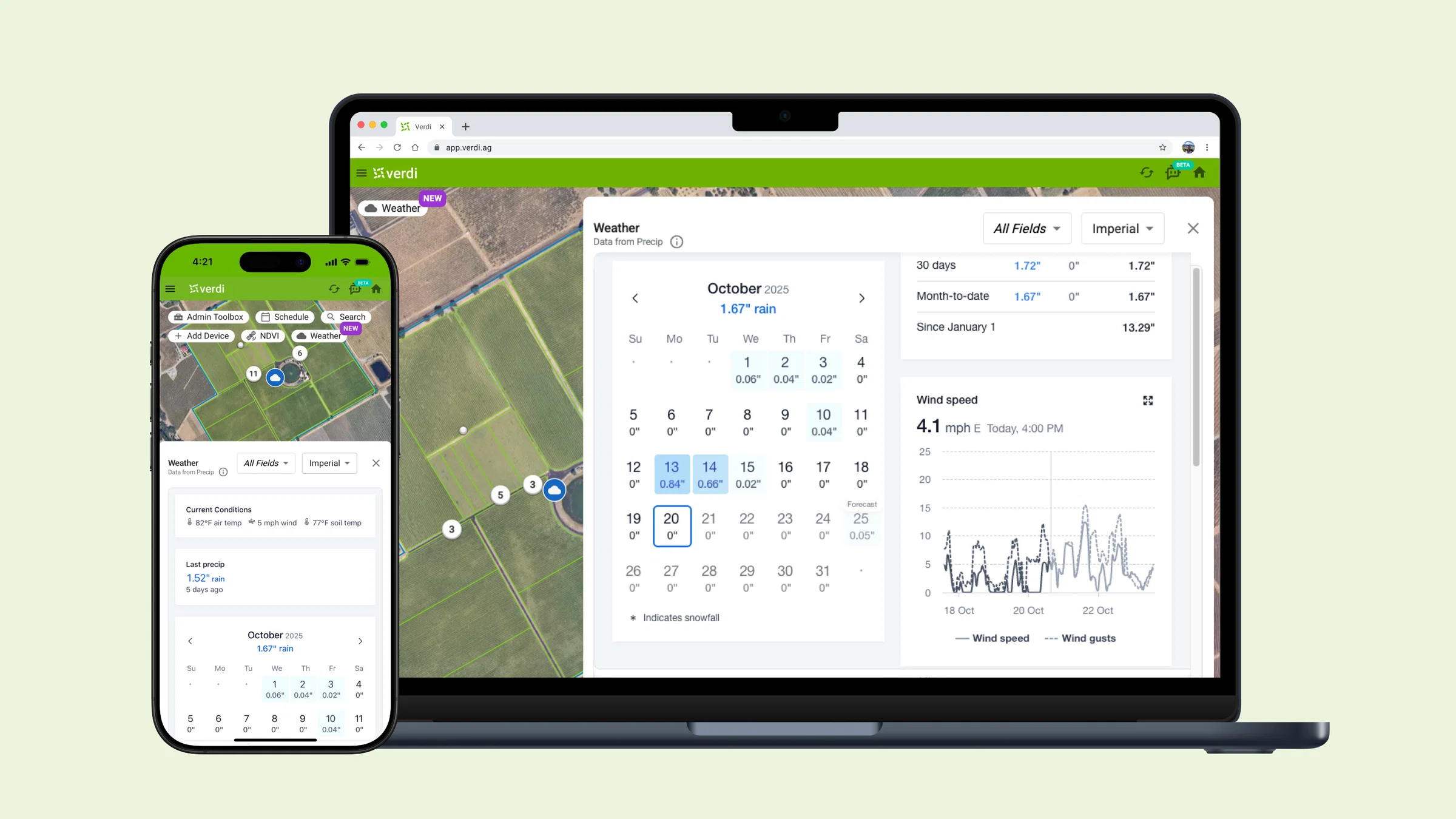
    When you click the new Weather button, you’ll see detailed, location-specific weather and soil data for your fields, powered by Precip–without needing a physical weather station.


    What you'll find inside

    • Current air temperature, wind speed, and (USA only) soil temperature
    • Recent rainfall and snowfall totals, plus last significant precipitation event
    • Soil temperature (10cm top soil) and relative soil moisture (10cm top soil and 10-40cm sub soil) (USA only)
    • 16-day forecasts and historical weather trends
    • Hourly and daily precipitation breakdowns
    • Cumulative rainfall graphs comparing recent years to each other and to 30-year normals

    longer-scroll-(45-scale)

    Whether you're dialing in this week’s irrigation or analyzing historical data, Verdi Weather gives you reliable, modelled data that’s more localized than most third-party sources. It puts accurate insights right where irrigation decisions are made.


    Availability

    Verdi Weather is included at no additional cost for users in the Contiguous USA (Lower 48) and Canada.

    Soil temperature and moisture are available only in the USA. We currently don’t provide any weather data outside these regions.

    We’re actively working with Precip to support more locations, including Mexico and beyond.

    📩 Interested in seeing Verdi Weather in your region? Contact us!

    No new hardware or setup required.


    Let us know what you think! 💭

    This is just the first version. We’re already working on new features like humidity, evapotranspiration (ETo), and customizable dashboards.

    Have any feedback or questions?

    Thank you for growing with Verdi!

  2. Device Card Overhaul

    Release
    Device Card_Referesh (1)

    We are excited to release an update to one of the most used components of the Verdi Dashboard!

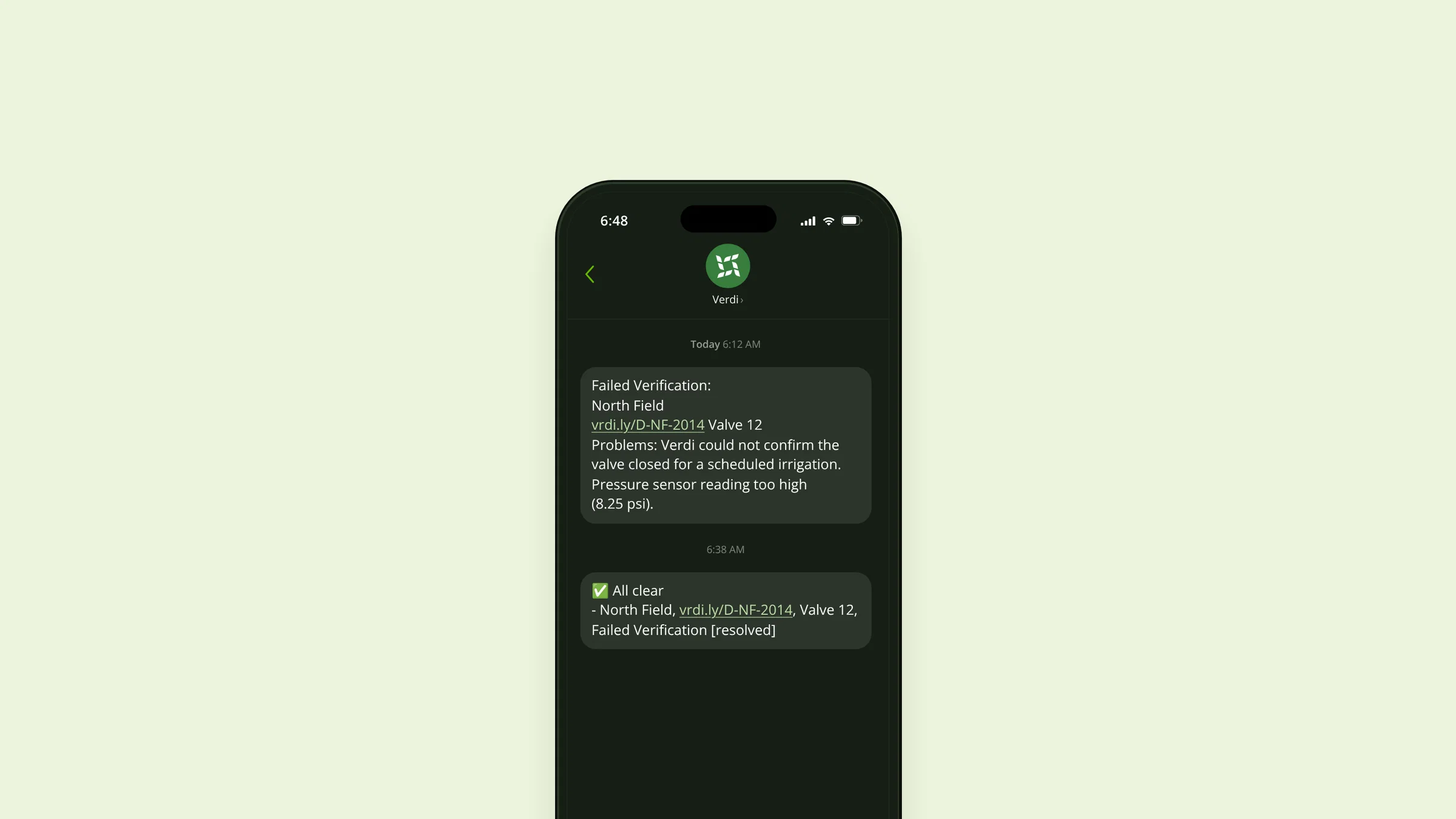
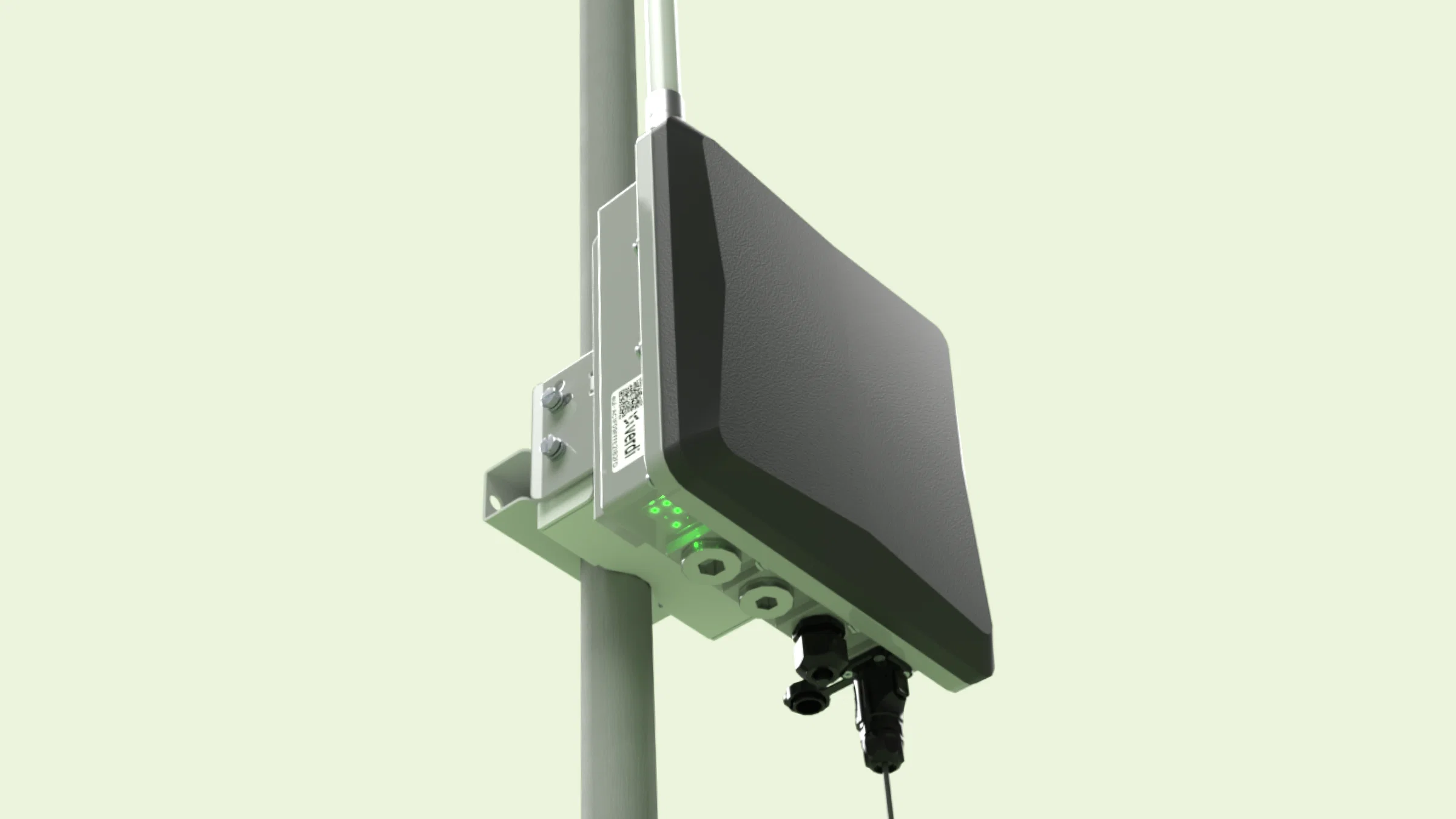
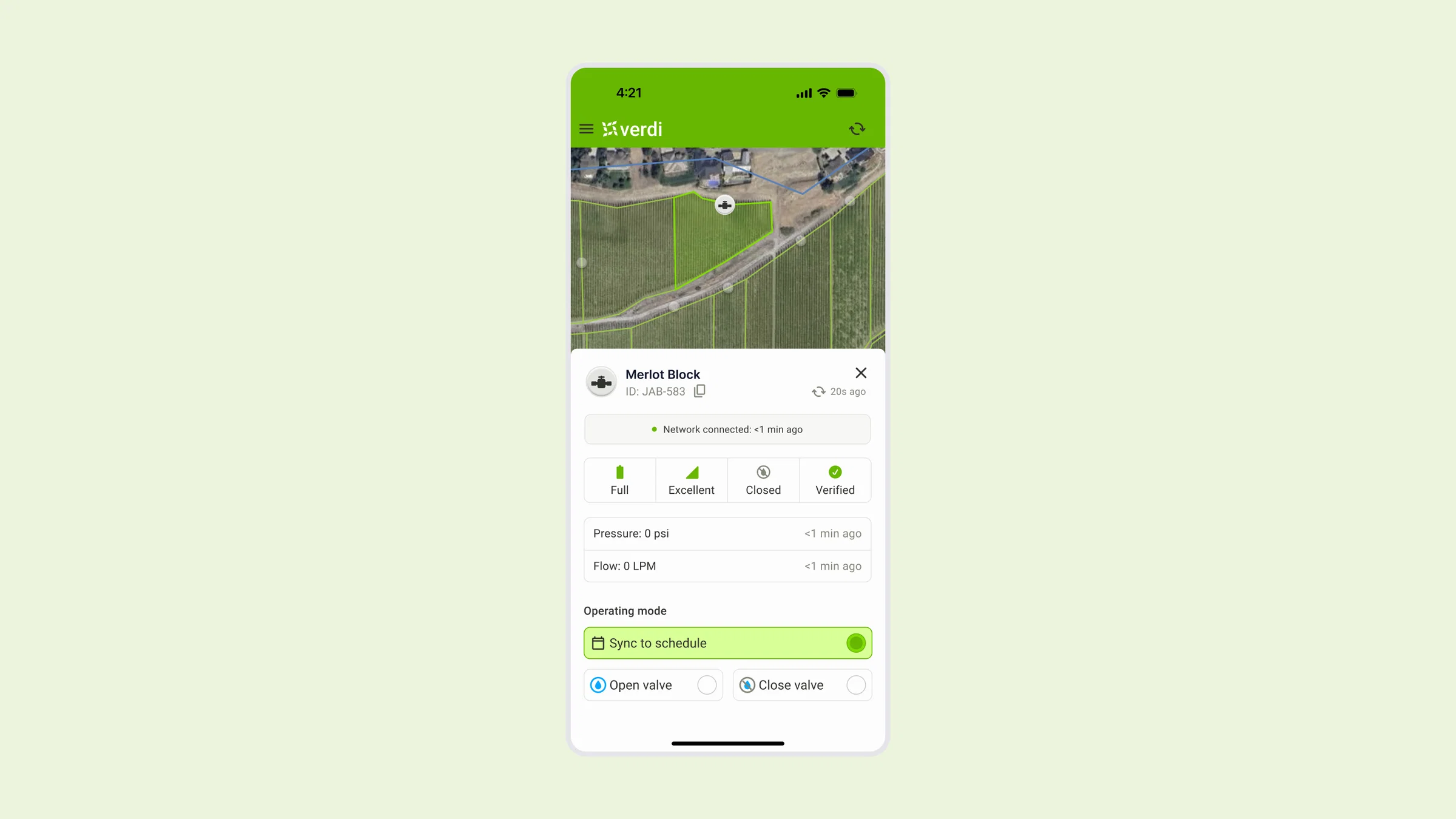
    Device cards are the central place for monitoring the health and status of your irrigation hardware, including valves, pumps, and sensors, directly from your farm map. 

    When you click on any valve, pump or sensor on your farm map, the device card opens, displaying real-time health stats and manual control features. This gives you immediate insight into your system’s status, helping you trust that irrigations are being executed with nominal flow and pressure, and making it simple to spot and solve problems like a faulty valve or leaky pipe.

    The new device card layout is intuitive and thoughtfully designed, with a clear hierarchy from the most important to the least important information. Key live stats, like battery status, network connection, and flow and pressure verification, are front and center. Manual controls are easily accessible, so you can take action quickly when needed⁠.


    We Want Your Feedback

    Your feedback drives our roadmap. If you have suggestions or encounter any issues, please let us know through the feedback form on the Verdi Dashboard, or reach out to our support team at support@verdiag.com. We’re committed to making Verdi the most reliable and intuitive irrigation management platform for growers everywhere⁠.

    Thank you for being part of the Verdi community. We hope these updates help you grow with confidence.

    —The Verdi Team⁠.

  3. Verdi Docs AI assistant — Instant answers. Any time. Any language. 🤖

    Release
    Veri Docs AI Assistant_Refresh

    At Verdi, we know that after-sales support is critical. This is why we offer remote phone, text, and email support along with in-person field visits. But we also understand that sometimes you need quick answers on your own schedule—even outside of our support hours.

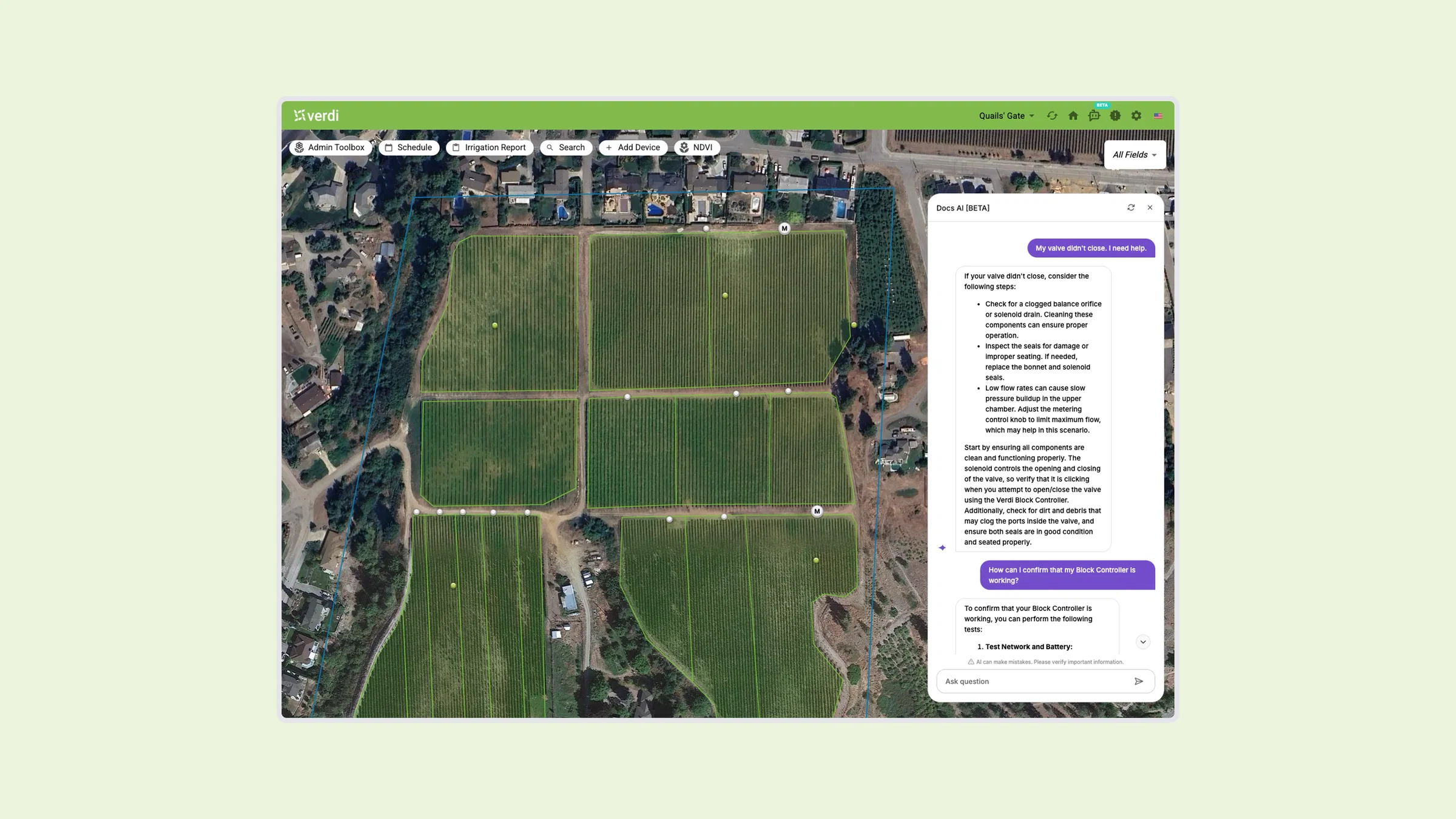
    That’s why we’ve built Docs AI directly into the Verdi Dashboard. This AI-powered assistant is available 24/7, ready to answer your questions instantly. Whether you need help with product features, troubleshooting, or step-by-step instructions, Docs AI is here to assist.


    Try it for Yourself

    Simply click the Docs AI icon in the top navigation bar on the Verdi Dashboard, type your question in any language (including English and Spanish), and the AI assistant will provide an instant response in your language. Here are a few examples of what you can ask:

    • How do I schedule an irrigation?
    • I scheduled an irrigation, but the valve isn’t opening. What should I do?
    • How do I check if my Block Controller is online?
    • How do I stop an irrigation?
    • How do I calculate the field capacity threshold?
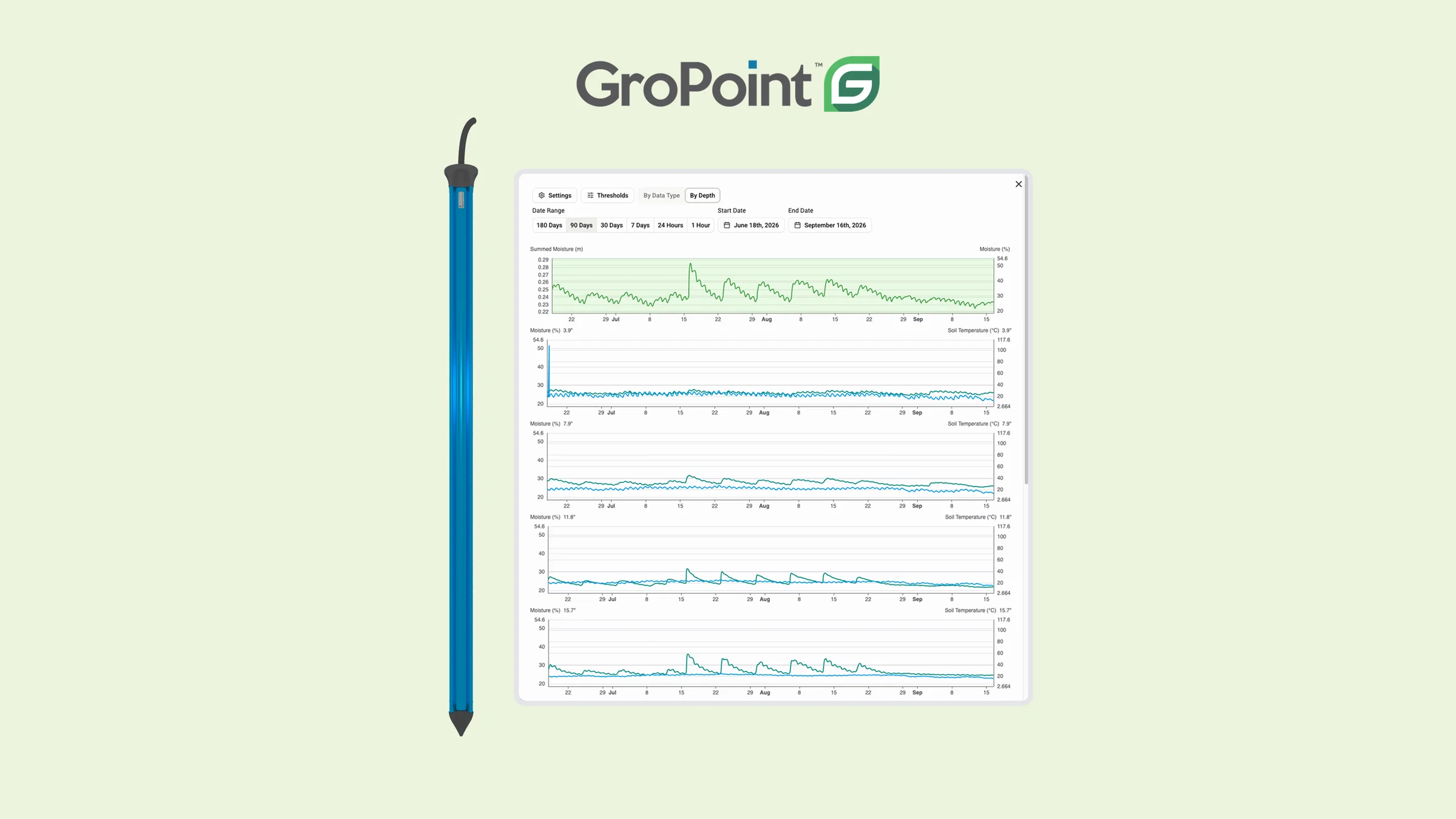
    • How do I view multi-depth soil moisture data?
    • What solenoids are compatible with the Verdi Block Controller?
    • What are the main features of Verdi?

    Keep in mind that Docs AI uses our documentation to provide answers to your questions so please let us know if you run into a situation where it doesn’t have the answers you’re looking for and we can expand our documentation.


    Let us know what you think! 💭

    Docs AI is an early-release feature, and we’re continuously improving it. We have lots of ideas for how we can expand this tool to provide more powerful functionality which we’re super excited to release.

    As always, we want to make sure these changes work for you and improve your growing experience. We’d love to get your feedback on ways we can improve the design and any issues you run into.

    Have any feedback or questions?

    • Use the feedback form on the Verdi Dashboard
    • Email us at support@verdiag.com
    • Call or text us at 1-855-945-5628

    We hope you love this new update and we look forward to sharing more exciting releases soon!

    Happy growing! 🌱

    The Verdi Team

  4. Smarter Device Markers: See Your Farm at a Glance 📍🗺️

    Release

    5bf559a3-42df-41f5-8e46-d02a6b8349e3

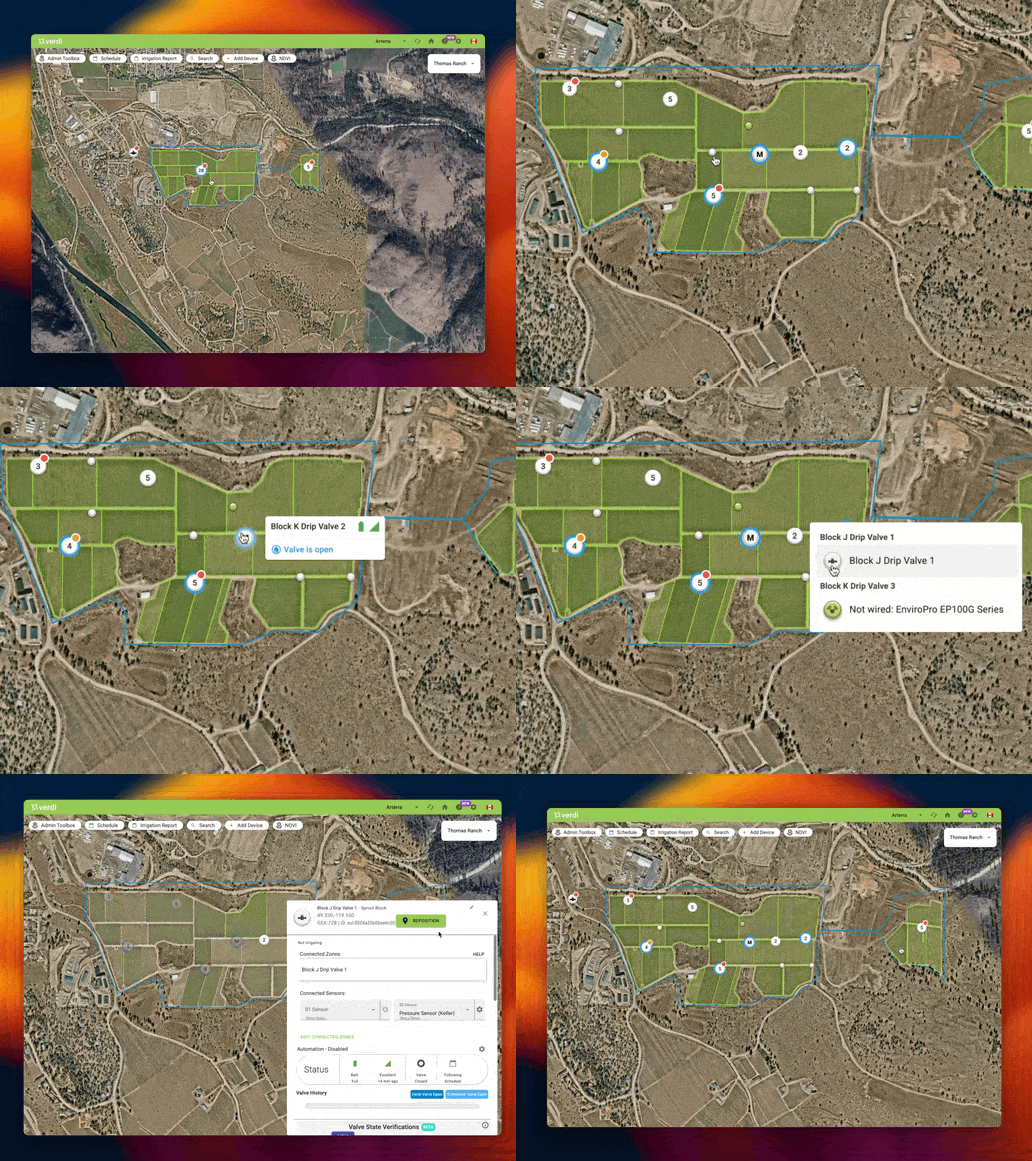
    We're excited to share our latest improvement to the Verdi Dashboard: completely redesigned device markers that make monitoring your farm easier and more intuitive.

    You've shared your feedback about our map, and we've been listening carefully. After lots of work reimagining how these markers could be improved, we're thrilled to introduce improvements that directly address these pain points and make your day-to-day operations smoother and more intuitive.

    We've focused on what matters most—helping you quickly spot active irrigations, potential issues, and device statuses without cluttering your view.


    All-New Device Markers 🎨

    We've given your devices a fresh new look on the map! You'll notice:

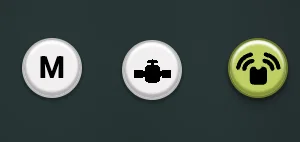
    • Redesigned icons for Valves and Sensors for better visibility across the Dashboard
    • Devices in Manual Mode are now clearly indicated with an M
    image

    Intelligent Device Grouping 📍

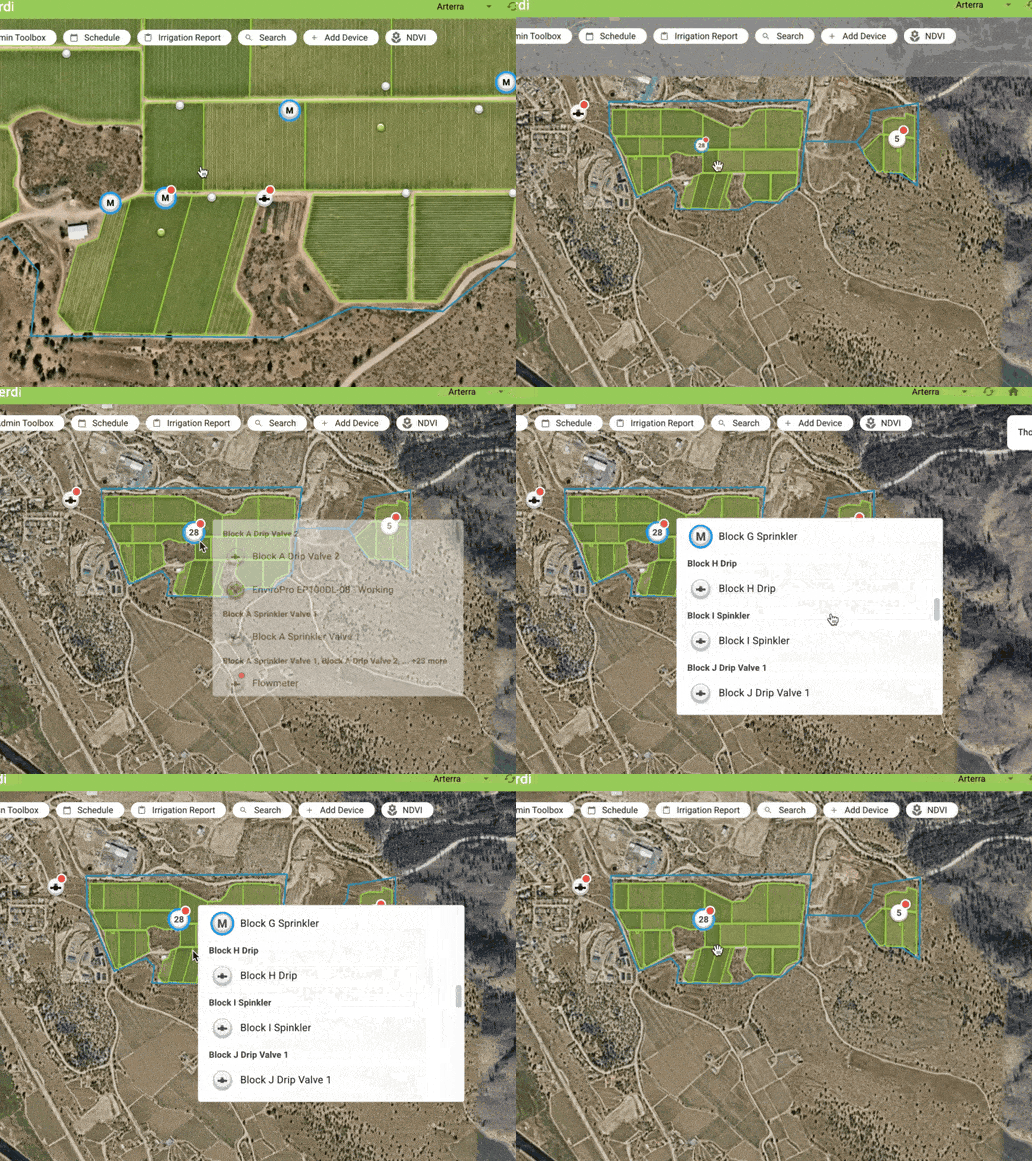
    As you zoom in and out, nearby devices automatically group together to give you a clearer overview and reduce clutter.

    • Groups show their total device count in their centre
    • Groups show a status badge if any of their devices have a status badge
    • Status badge colours correspond to the highest priority status of a contained device
    • Groups show a full irrigation status ring if any of their devices have any irrigation status ring
    • Click on a group to view a list of all the devices it contains
    4b8f88ad-54c0-41ea-bedf-4d3b53a8c6a8 (1)

    Smarter Display for Better Visibility 🎯

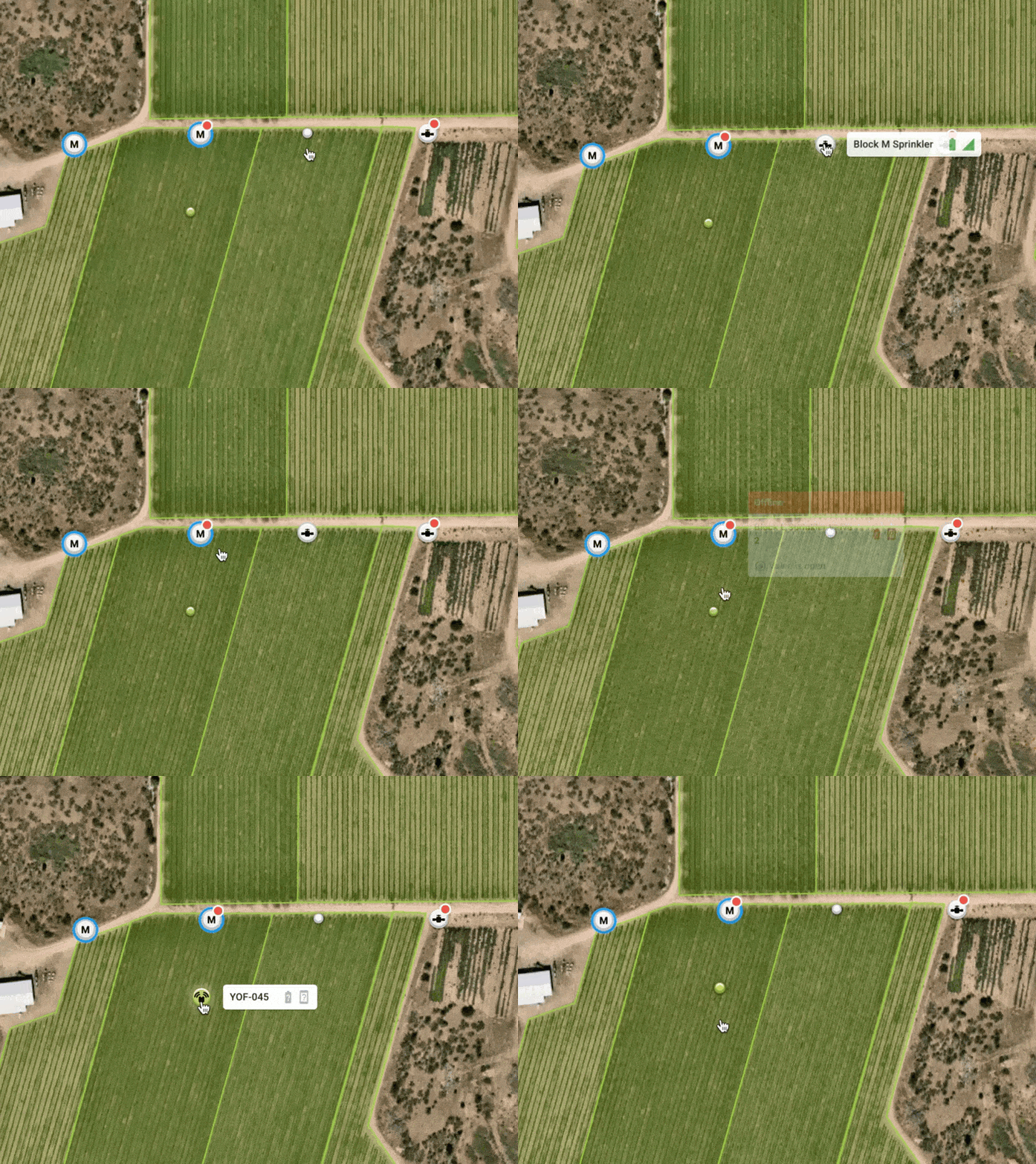
    You now have an easy way to identify which devices require your attention, allowing you to ignore the rest so you can focus on what matters.

    Inactive devices appear as collapsed dot markers

    • Hover over them to expand
    • Click as usual to view more

    Devices requiring your attention appear as full markers

    • When devices are irrigating or have warnings/errors

    56a63965-c149-4e8d-8dd2-fb8d459ad3f5


    Valve and Irrigation Status 💧

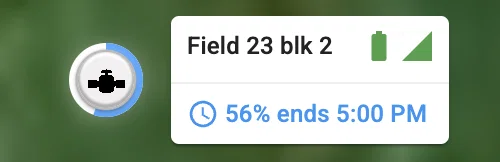
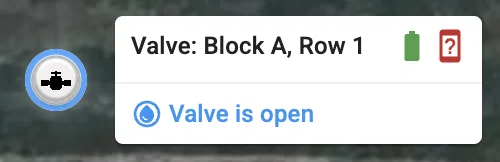
    Devices with open valves now have blue rings showing their irrigation status to help you understand how water is being used on your farm at any given moment.



    • Spinning: A device is either entering Manual mode, or already in Manual mode, and is transitioning from open to closed or vice versa.
    • Partial ring: Shows the progress of a scheduled irrigation.
    • Full ring: Valve opened but not due to a scheduled irrigation (e.g. device is in manual mode).

    Status Badges 🚦

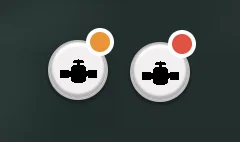
    We've made it much easier to quickly spot which devices require your attention with status badges.

    image

    🟠 Orange → Warnings

    The device needs attention but is still operational (with potentially reduced performance).

    Examples: Low battery, Weak signal strength

    🔴 Red → Errors

    The device needs immediate action in order to restore functionality.

    Examples: Device offline


    New Marker Tooltips ℹ️

    Hovering over a device marker will open a tooltip containing an overview of your device’s status and valve state (if applicable).

    Scheduled irrigation in progress

    image

    Non-scheduled open valve (e.g. in Manual mode)

    image

    Non-scheduled valve transitions (e.g. in Manual mode)

    3d0fe5d3-7926-47da-8098-6ee946a5f414
    04ef0546-9e4e-4191-b5b1-dabb909cc7de

    What does this mean for your operations? 💪

    • Faster Issue Detection: Critical alerts and warnings stand out immediately
    • Cleaner View: Focus on active operations while maintaining visibility of all devices
    • Easier Navigation: Smart grouping helps manage farms and fields of any size

    Let us know what you think! 💭

    As always, we want to make sure these changes work for you and improve your growing experience. We’d love to get your feedback on ways we can improve the design and any issues you run into.

    Have any feedback or questions?

    • Use the feedback form on the Verdi Dashboard
    • Email us at support@verdiag.com
    • Call or text us at 1-855-945-5628

    We really hope you love this new update and we look forward to sharing more exciting releases soon!

    Happy growing! 🌱

    The Verdi Team

  5. Data Export tool ✨📊

    Release

    Welcome to our first Product Update! We'll be sharing these to keep you updated on the changes we're making and the features we're releasing. Feel free to let us know what you think.


    Now for the update: We've officially released our new Data Export tool! This powerful feature allows you to access all your high-resolution Sensor, Device, and Zone data more easily than ever before.

    We know this a crucial step in enabling you to make more informed decisions about how you grow, understand what happens on your farm, and take full advantage of all your Verdi-connected sensors.


    Accessing the Data Export tool

    Click the new gear icon in the navigation bar of your Verdi Dashboard and then Data Export in the dropdown.

    You can also bookmark the tool if you use it often!



    Filtering your Data

    Use the filters to drill down to the data you want to analyze.

    Date Range

    Select any date range.

    efda8015-c746-4125-8bfc-59426c3913d5


    Data Sources

    Select any combination of Devices, Zones, and Fields.

    d83d306f-999d-496b-b747-15d349f47104

    Data Types

    Select any data type from the list of available options including temperature, soil moisture, and NDVI. We'll be expanding this list over time.

    5700618b-47f5-4153-bec8-1cd579297651

    Position and Depth

    You can choose to separate your data by position and depth. By default, data for the same device will show up together even if the device position changes.

    Note: you must select this option when exporting multi-depth data types.


    Exporting your Data

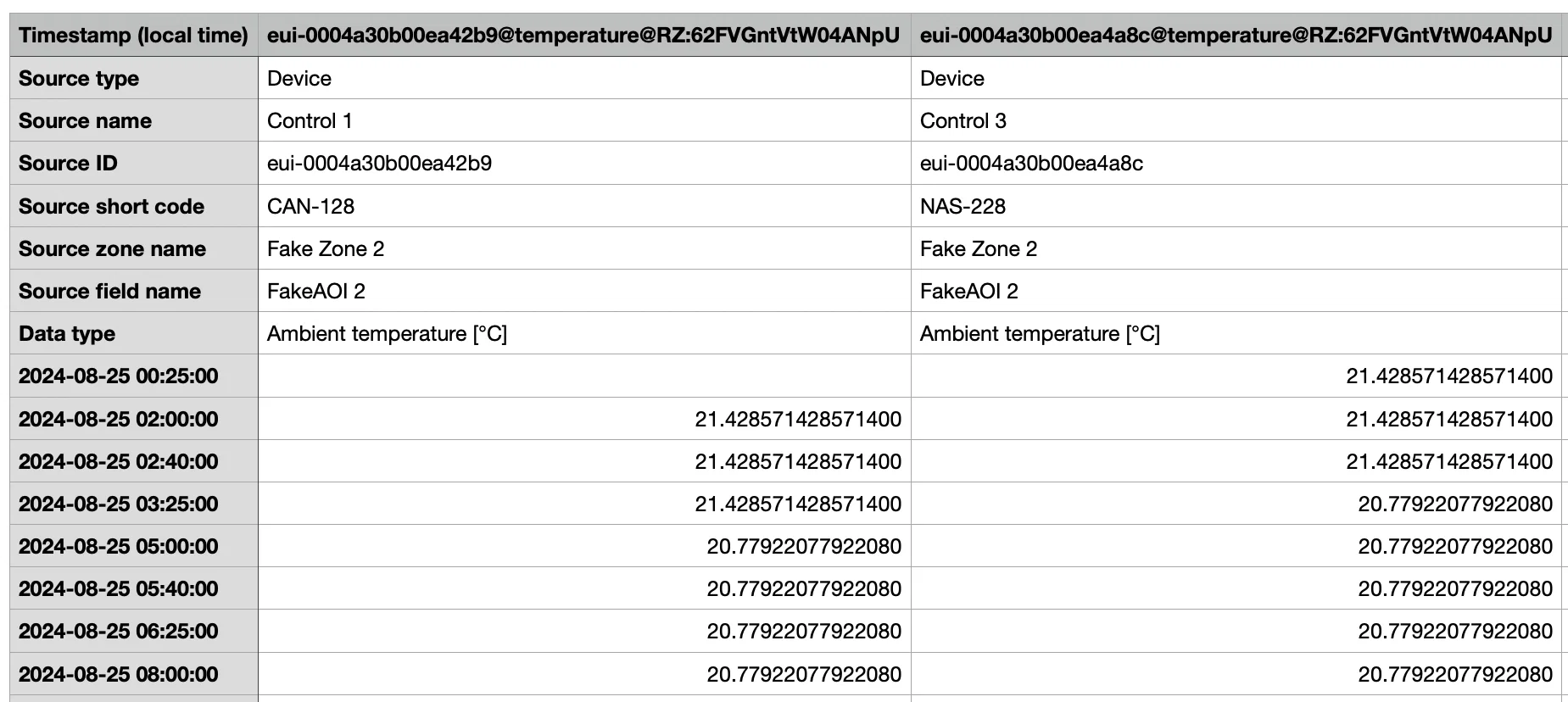
    Your data will be downloaded as a standard CSV file which you can import into any data analysis software you'd like including:

    • Spreadsheet tools: Microsoft Excel, Google Sheets, Apple Numbers
    • Business Intelligence (BI) tools: Tableau, Microsoft Power BI
    • AI-powered data analysis tools: ChatGPT
    • Programming and scripting languages: Python, R
    image

    Let us know what you think!

    This is a new feature still being tested but we thought it was important to get it in the hands of users as soon as possible. We'd love to get your feedback on ways we can improve the tool, data types you'd like to have access to, and any issues you run into.

    You can use the feedback button in the navigation bar on your dashboard or email Arthur (arthur.chen@verdi.ag) or this feature's owner, Nart Barileva (nart.barileva@verdi.ag).


    We really hope you find this new feature useful and we look forward to sharing more exciting releases soon!

    Happy growing!

    The Verdi Team 🌱