Smarter Device Markers: See Your Farm at a Glance 📍🗺️
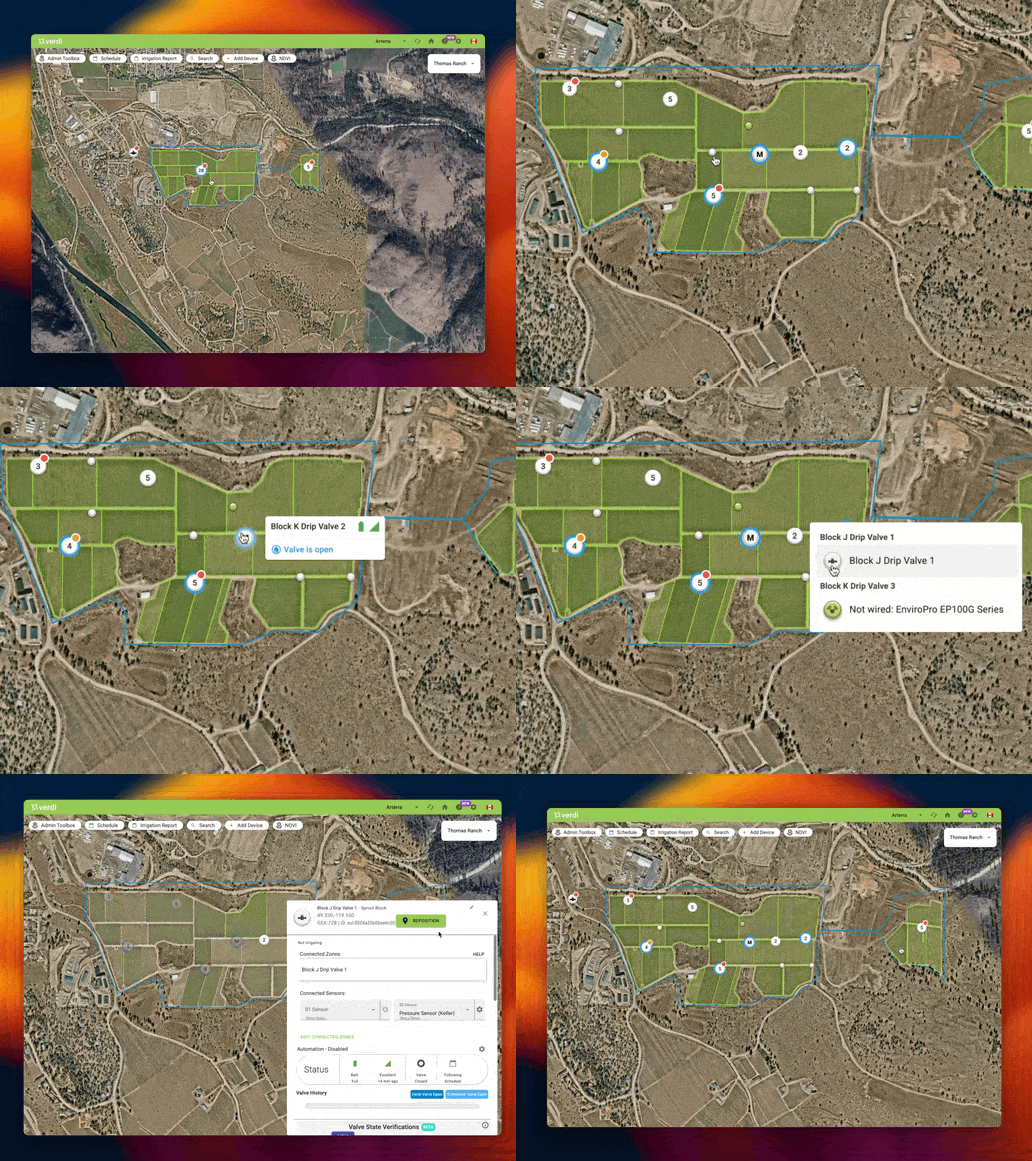
We're excited to share our latest improvement to the Verdi Dashboard: completely redesigned device markers that make monitoring your farm easier and more intuitive.
You've shared your feedback about our map, and we've been listening carefully. After lots of work reimagining how these markers could be improved, we're thrilled to introduce improvements that directly address these pain points and make your day-to-day operations smoother and more intuitive.
We've focused on what matters most—helping you quickly spot active irrigations, potential issues, and device statuses without cluttering your view.
All-New Device Markers 🎨
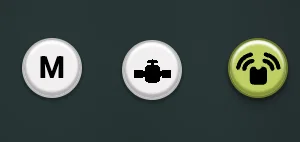
We've given your devices a fresh new look on the map! You'll notice:
- Redesigned icons for Valves and Sensors for better visibility across the Dashboard
- Devices in Manual Mode are now clearly indicated with an M
Intelligent Device Grouping 📍
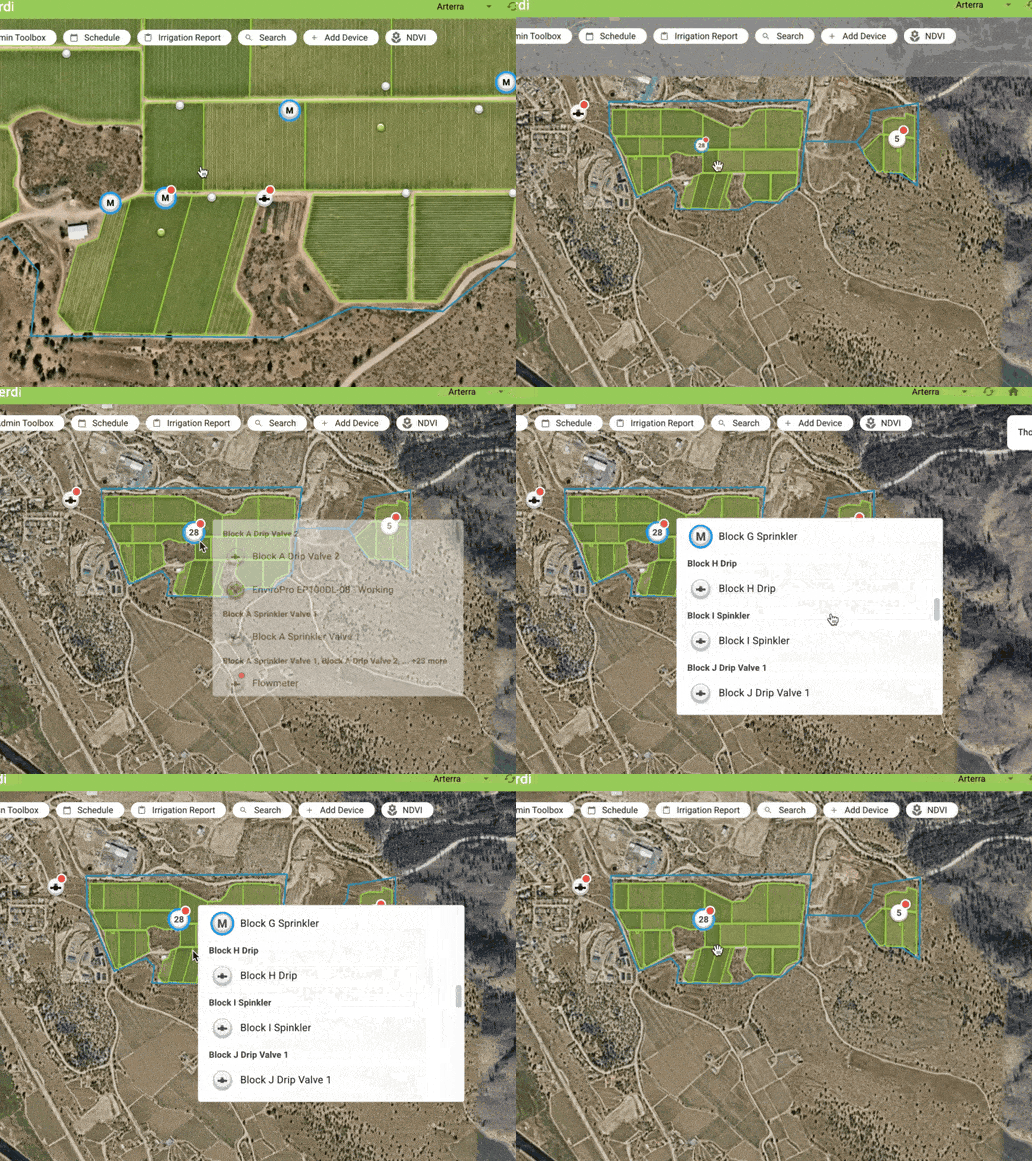
As you zoom in and out, nearby devices automatically group together to give you a clearer overview and reduce clutter.
- Groups show their total device count in their centre
- Groups show a status badge if any of their devices have a status badge
- Status badge colours correspond to the highest priority status of a contained device
- Groups show a full irrigation status ring if any of their devices have any irrigation status ring
- Click on a group to view a list of all the devices it contains
Smarter Display for Better Visibility 🎯
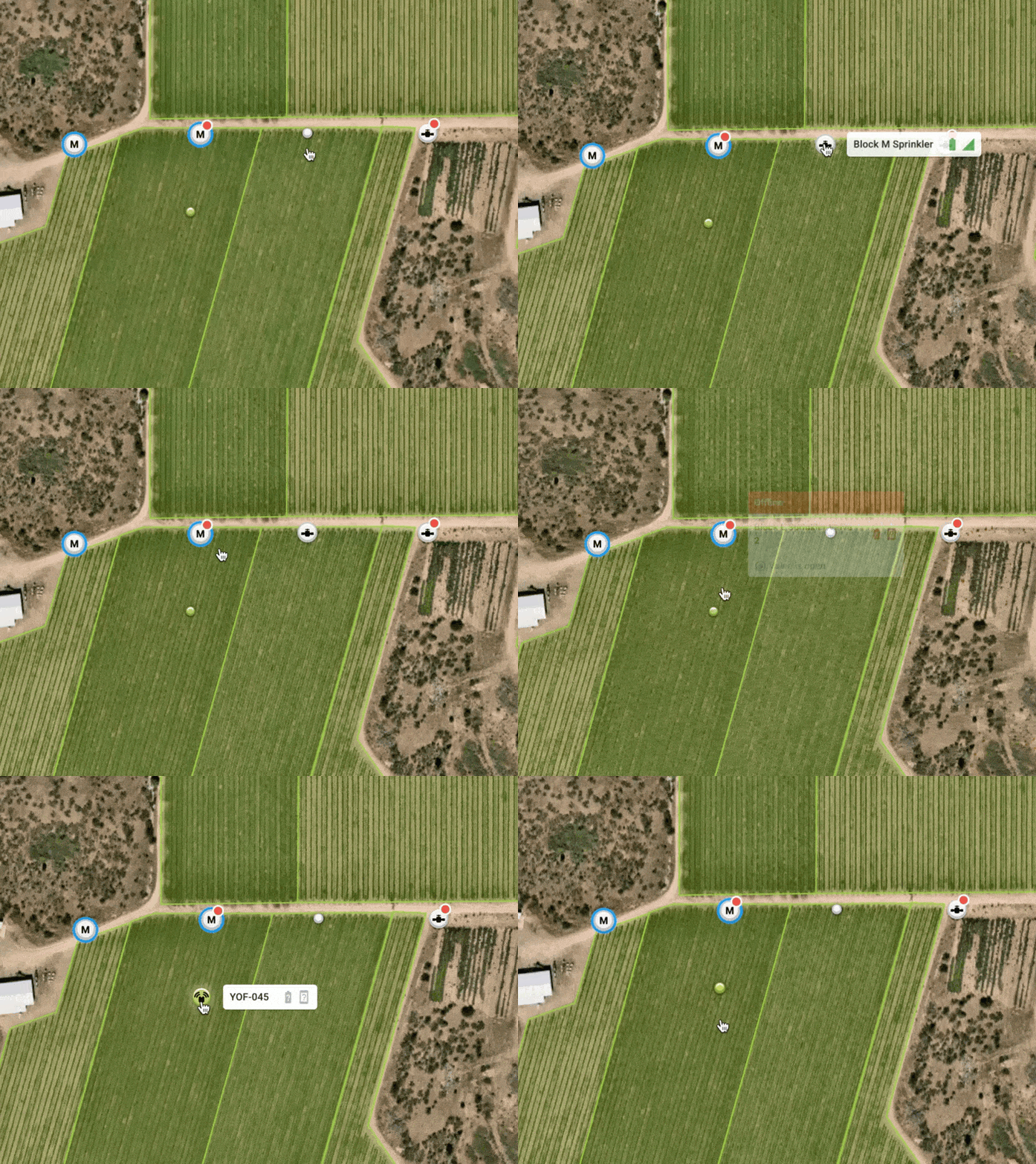
You now have an easy way to identify which devices require your attention, allowing you to ignore the rest so you can focus on what matters.
Inactive devices appear as collapsed dot markers
- Hover over them to expand
- Click as usual to view more
Devices requiring your attention appear as full markers
- When devices are irrigating or have warnings/errors
Valve and Irrigation Status 💧
Devices with open valves now have blue rings showing their irrigation status to help you understand how water is being used on your farm at any given moment.


- Spinning: A device is either entering Manual mode, or already in Manual mode, and is transitioning from open to closed or vice versa.
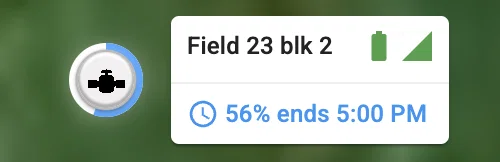
- Partial ring: Shows the progress of a scheduled irrigation.
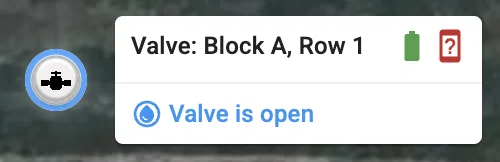
- Full ring: Valve opened but not due to a scheduled irrigation (e.g. device is in manual mode).
Status Badges 🚦
We've made it much easier to quickly spot which devices require your attention with status badges.
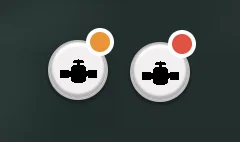
🟠 Orange → Warnings
The device needs attention but is still operational (with potentially reduced performance).
Examples: Low battery, Weak signal strength
🔴 Red → Errors
The device needs immediate action in order to restore functionality.
Examples: Device offline
New Marker Tooltips ℹ️
Hovering over a device marker will open a tooltip containing an overview of your device’s status and valve state (if applicable).
Scheduled irrigation in progress
Non-scheduled open valve (e.g. in Manual mode)
Non-scheduled valve transitions (e.g. in Manual mode)
What does this mean for your operations? 💪
- Faster Issue Detection: Critical alerts and warnings stand out immediately
- Cleaner View: Focus on active operations while maintaining visibility of all devices
- Easier Navigation: Smart grouping helps manage farms and fields of any size
Let us know what you think! 💭
As always, we want to make sure these changes work for you and improve your growing experience. We’d love to get your feedback on ways we can improve the design and any issues you run into.
Have any feedback or questions?
- Use the feedback form on the Verdi Dashboard
- Email us at support@verdiag.com
- Call or text us at 1-855-945-5628
We really hope you love this new update and we look forward to sharing more exciting releases soon!
Happy growing! 🌱
The Verdi Team