Data Export tool ✨📊
Welcome to our first Product Update! We'll be sharing these to keep you updated on the changes we're making and the features we're releasing. Feel free to let us know what you think.
Now for the update: We've officially released our new Data Export tool! This powerful feature allows you to access all your high-resolution Sensor, Device, and Zone data more easily than ever before.
We know this a crucial step in enabling you to make more informed decisions about how you grow, understand what happens on your farm, and take full advantage of all your Verdi-connected sensors.
Accessing the Data Export tool
Click the new gear icon in the navigation bar of your Verdi Dashboard and then Data Export in the dropdown.
You can also bookmark the tool if you use it often!
Filtering your Data
Use the filters to drill down to the data you want to analyze.
Date Range
Select any date range.

Data Sources
Select any combination of Devices, Zones, and Fields.

Data Types
Select any data type from the list of available options including temperature, soil moisture, and NDVI. We'll be expanding this list over time.

Position and Depth
You can choose to separate your data by position and depth. By default, data for the same device will show up together even if the device position changes.
Note: you must select this option when exporting multi-depth data types.
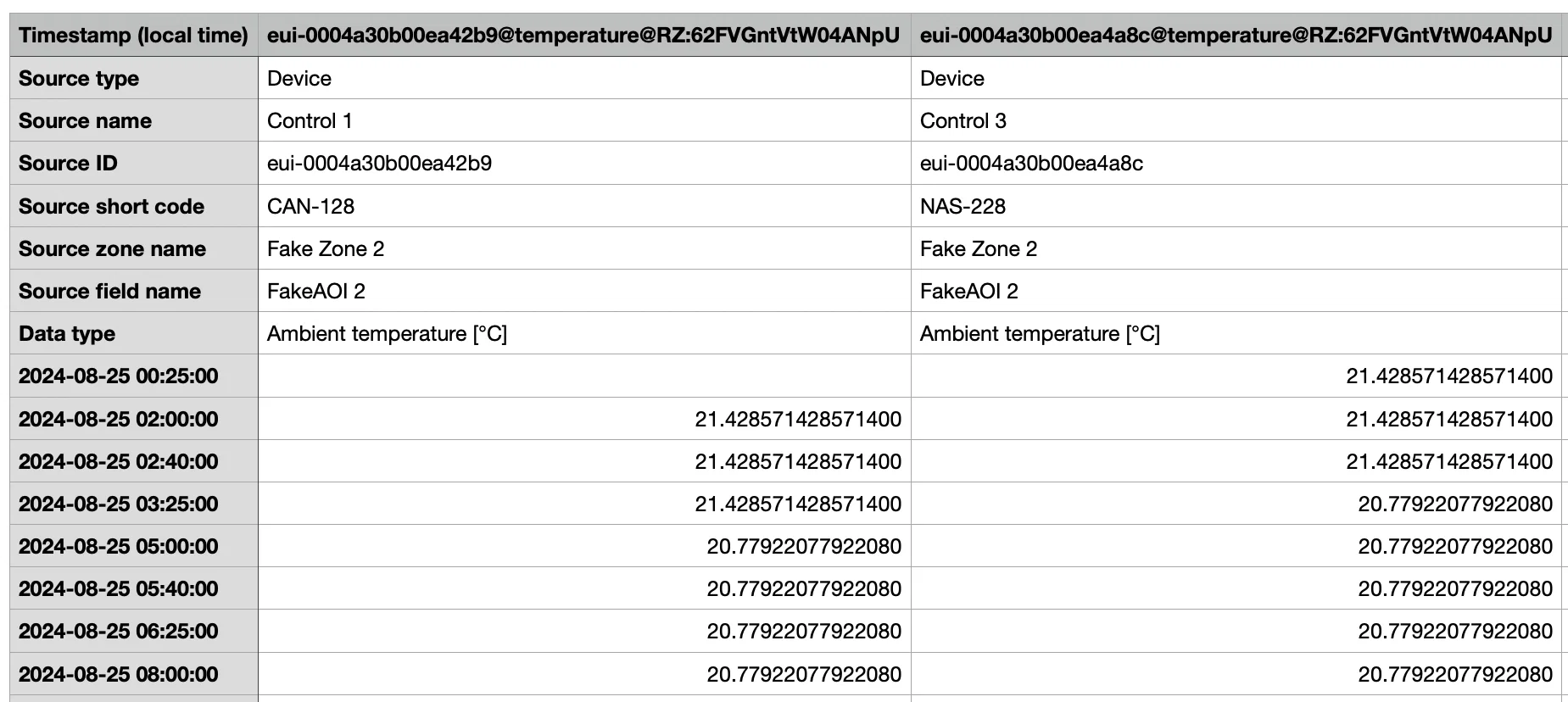
Exporting your Data
Your data will be downloaded as a standard CSV file which you can import into any data analysis software you'd like including:
- Spreadsheet tools: Microsoft Excel, Google Sheets, Apple Numbers
- Business Intelligence (BI) tools: Tableau, Microsoft Power BI
- AI-powered data analysis tools: ChatGPT
- Programming and scripting languages: Python, R
Let us know what you think!
This is a new feature still being tested but we thought it was important to get it in the hands of users as soon as possible. We'd love to get your feedback on ways we can improve the tool, data types you'd like to have access to, and any issues you run into.
You can use the feedback button in the navigation bar on your dashboard or email Arthur (arthur.chen@verdi.ag) or this feature's owner, Nart Barileva (nart.barileva@verdi.ag).
We really hope you find this new feature useful and we look forward to sharing more exciting releases soon!
Happy growing!
The Verdi Team 🌱